

Wine cellar
MelimeloWine cellar
Free up to a cap, unlimited with Premium
The household wine cellar on your phone.
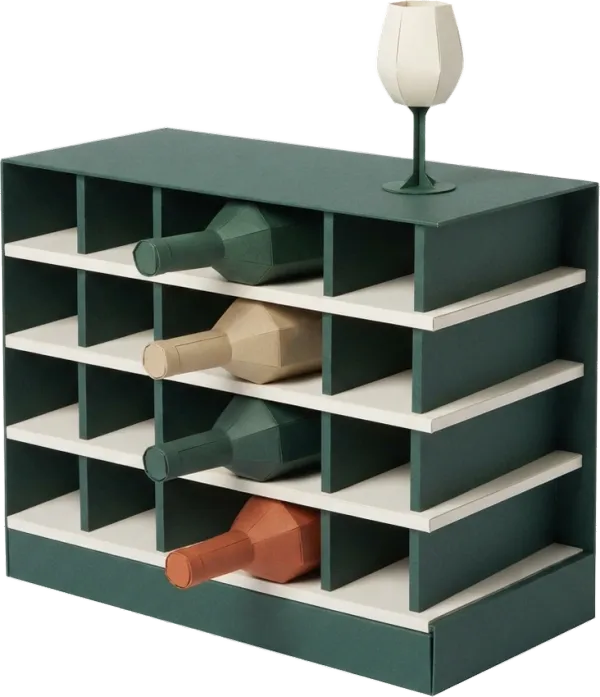
Your bottles with photo, vintage, region and type. Bottles in and out tracked, shared with the whole household. A free cellar for up to 5 bottles, several cellars with Premium.
Everyday life
No more guessing if there’s any white left downstairs
A cellar is stock that changes all the time. Without tracking, you buy what you already have and hunt for what’s left. A shared household record changes that.
You come home with 2 bottles of Saint-Émilion. You take a photo of the label and note the vintage and region. They join your cellar in Melimelo, ready to be found when the moment comes.
Friends are coming on Saturday night and you wonder “what have I got in white?”. You open Melimelo, filter your cellar and pick the Sancerre 2021. You mark it as taken out: your cellar is up to date without recounting.
With Premium, you split your collection into several cellars: Bordeaux, Burgundy, White wines, Champagnes. You move a bottle from one cellar to another when you rearrange your actual storage.
Features
Designed to keep an eye on your collection.
Shared household cellar
Every household member sees what’s in the cellar and can add or take out a bottle. No more asking “is there any Burgundy left?”.
A card for every bottle
Photo, name, vintage, region, type. Everything that matters to recognise a bottle at a glance and know what to expect from it.
Bottles in and out
Log a bottle when it goes into the cellar, mark it as taken out when you drink it. Your cellar shows what’s really there at all times, with no separate stocktake.
Photo and label
A photo of the bottle or label so you recognise it later, without having to remember the exact name of the château or estate.
Several cellars (Premium)
With the Premium plan, organise your collection into several cellars: by region, by type, by maturity, or by where the bottles are stored. One cellar per use.
Move between cellars (Premium)
With the Premium plan, move a bottle from one cellar to another to suit the way you organise things. Handy when a wine reaches its peak or changes storage spot.
Connected to the rest
Alongside everything else in the household.
- RecipesRecipes
A bottle of Sauternes to go with the foie gras from your recipe collection: Wine cellar keeps the stock, Recipes keeps the pairing for the big day.
- Meal planMeal plan
Sunday’s meal plan has grilled fish: a quick look at the cellar to choose the white that goes with it, without going downstairs to check.
- ShoppingShopping
When stock runs low, add the next bottle to the household shopping list for your next trip to the wine shop.
- BudgetBudget
Wine shop spending weighs on the household’s leisure budget. The cellar keeps the stock, Budget keeps track of the purchases.

All the modules talk to each other. Not just these 4.
Free & Premium
What each plan includes for the wine cellar.
Try it out
€0no commitment
Included from the start, shared by the whole household.
- Wine cellar shared by the whole household
- Bottles with photo, vintage, region, type
- Bottles in and out tracked (what you drink)
- Search your cellar
- Multi-user by design
- Number of cellars 1 max
- Bottles per cellar 5 max
- Move bottles between cellars
Everything unlocked for this module
No limits
€39.90/ year
that’s €3.32 a month
- Wine cellar shared by the whole household
- Bottles with photo, vintage, region, type
- Bottles in and out tracked (what you drink)
- Search your cellar
- Multi-user by design
- Number of cellars Unlimited
- Bottles per cellar Unlimited
- Move bottles between cellars
A single Premium subscription covers the whole household, however many members it has. You take it out in the app on iPhone or Android, and it then works on every screen in the household.
06Questions about the wine cellar
Everything people ask us about the wine cellar.
Straight answers to the questions people ask most before getting started.
07Get started
Your whole household,
on all your screens.
On iPhone, iPad, Android, Mac, Windows and in the browser. Every member connected, in real time. Your first module up and running in under a minute.
4.8out of 5
On the App Store
Active users
65k+
Already on board
No commitment, right in your browser.
3 steps, and your cellar is up to date.
Create your cellar
One default cellar is enough on the free plan (up to 5 bottles). With Premium, set up several cellars to match the way you sort them (region, type, maturity).
Add your bottles
Label photo, name, vintage, region, type. The card is ready in a few taps. Your cellar mirrors your real stock.
Track bottles in and out
When you drink a bottle, mark it as taken out. When you bring one home, add it. The household sees the changes in real time without recounting.