

Fridge
MelimeloFridge
Free up to a cap, unlimited with Premium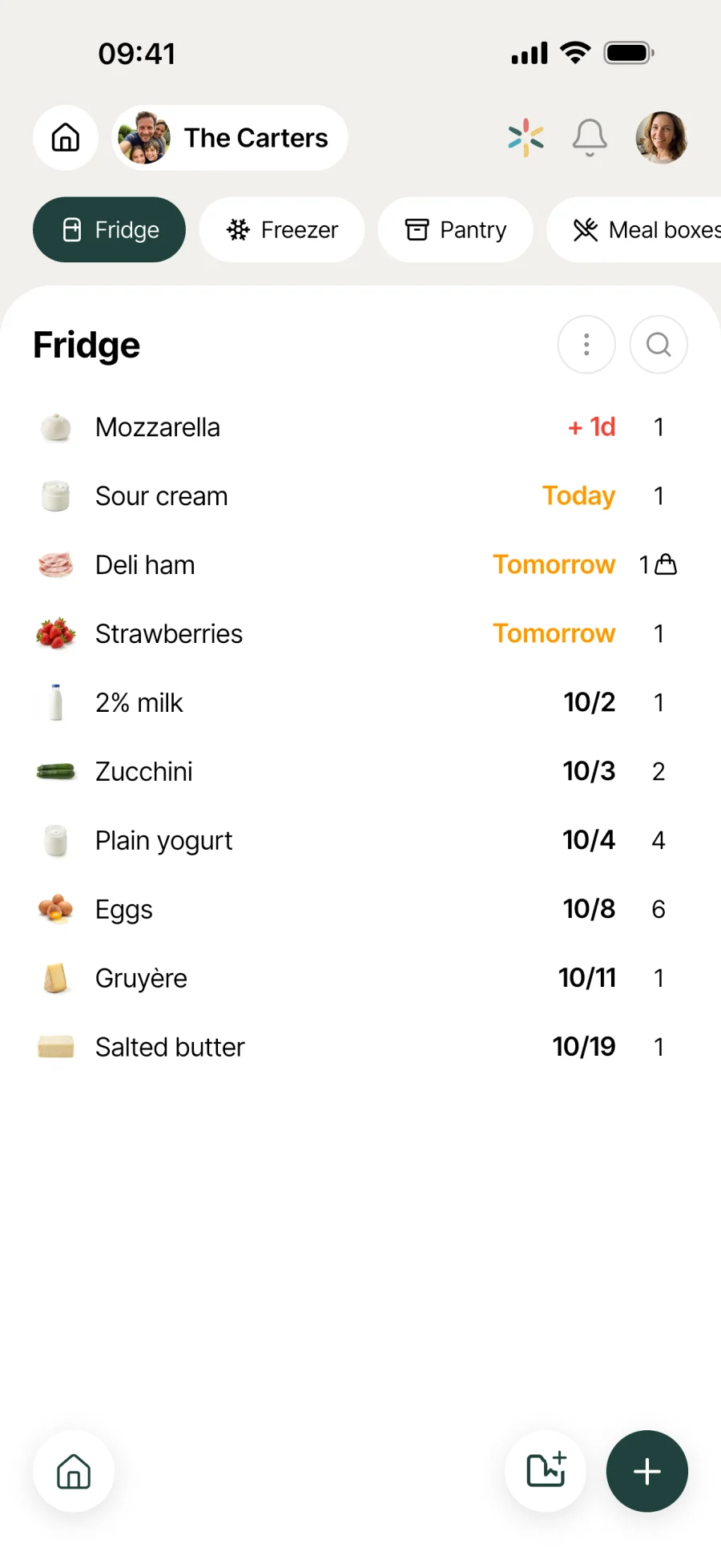
The smart fridge that cuts food waste.
All your household’s food in one shared view, sorted by expiry date. Instant colour coding, freezer and pantry included, notifications before the use-by date.
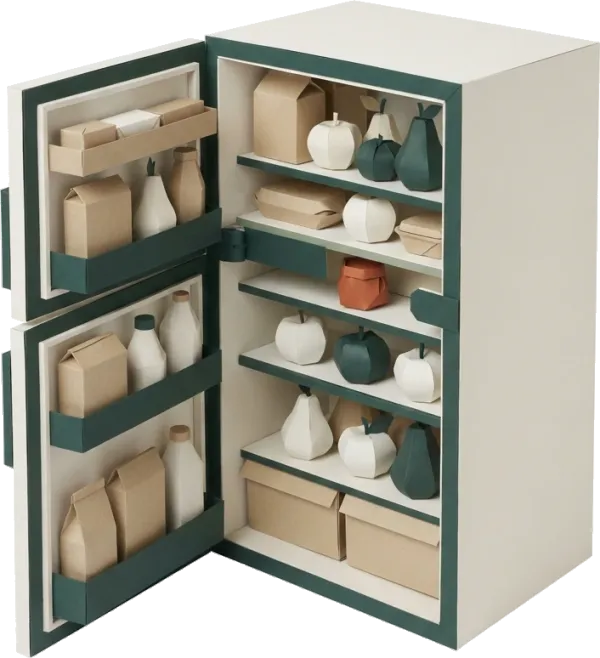
Everyday life
No more “is this yoghurt still OK?”
The average household throws away several kilos of food a month without meaning to. Seeing at a glance what needs using up makes a real difference to the bill at the end of the month.
Before you cook, a quick look in the fridge. Whatever’s orange goes first. Yesterday’s salmon becomes tonight’s dinner, no hovering over the tray wondering.
Mum does the shopping, Dad puts it away. The colour code appears as soon as the date is entered. Nobody stands there, yoghurt in hand, wondering if it’s still OK.
The freezer, the pantry and Sunday’s batch-cooked meals live in the same place as the fridge. No more tubs forgotten for 3 months at the bottom of the freezer drawer.
Features
Designed to stop food going to waste.
Shared household view
Every household member sees and updates what’s in the fridge in real time. No more “I thought we had some left”, no more buying twice, no more texts asking whether to get more milk.
Colour-coded expiry dates
Red is past its date, orange is today or tomorrow, yellow is 2 to 3 days, green is fine for now. A grid you can read in a second.
Barcode scan
Put the shopping away and scan as you go. Name, brand and image fill in by themselves. No more typing everything in line by line.
3 storage spaces
Fridge, freezer and pantry, managed separately in the same app. The freezer can be switched on whenever you like in the household settings.
Meal boxes with photos
Sunday’s batch cooking, yesterday’s leftovers, homemade sauces. Each meal box has its spot, its date and its photo, so you recognise it at first glance.
Notifications before expiry
Each household member chooses in their settings whether to get a reminder before food expires. The cooks switch it on, everyone else can leave it off.
Expiry dates by Melia
For meal boxes, Melia suggests an expiry date based on the ingredients and how they’re stored, and explains which ones limit the shelf life most.
Quick search
Type a word and the list filters. Handy when the fridge is full and you’re checking whether there’s any cream left for the sauce.
Sorted by aisle
Food is grouped by aisle, just like the shopping list. Fresh food on one side, tins on the other: you find what you need without scrolling through everything.
Quantities and units
Each item shows its quantity and unit. Whether there’s 200 g of cream or 3 yoghurts left, it’s right there when you write the shopping list or decide on dinner.


Connected to the rest
Linked to everything else in the household.
- ShoppingShopping
Swipe an item on the shopping list to the right and it joins the fridge with its date. Swipe a fridge item to the right and it heads to the shopping list.
- RecipesRecipes
Before you pick a recipe for tonight, the fridge already tells you what needs using first. The meal is built around what you already have.
- Meal planMeal plan
The weekly meal plan builds on what’s already in the fridge or freezer, instead of starting from a blank page.
- TrashTrash
A well-kept fridge means less food in the bin. The Trash module then takes over for bin collection reminders.



All the modules talk to each other. Not just these 4.
Free & Premium
What each plan includes for the fridge.
Try it out
€0no commitment
Included from the start, shared by the whole household.
- Shared household view in real time
- Colour-coded expiry dates (red, orange, yellow, green)
- Fridge, freezer and pantry
- Notifications before expiry
- Search the fridge
- Link to the shopping list (swipe to add)
- Multi-user by design
- Number of items in the fridge 10 max
- Meal boxes with photos 3 max
- Barcode scanning to add an item
- Meal box expiry dates calculated by Melia
Everything unlocked for this module
No limits
€39.90/ year
that’s €3.32 a month
- Shared household view in real time
- Colour-coded expiry dates (red, orange, yellow, green)
- Fridge, freezer and pantry
- Notifications before expiry
- Search the fridge
- Link to the shopping list (swipe to add)
- Multi-user by design
- Number of items in the fridge Unlimited
- Meal boxes with photos Unlimited
- Barcode scanning to add an item
- Meal box expiry dates calculated by Melia
A single Premium subscription covers the whole household, however many members it has. You take it out in the app on iPhone or Android, and it then works on every screen in the household.
06Questions about the fridge
Everything people ask us about the fridge.
Straight answers to the questions people ask most before getting started.
07Get started
Your whole household,
on all your screens.
On iPhone, iPad, Android, Mac, Windows and in the browser. Every member connected, in real time. Your first module up and running in under a minute.
4.8out of 5
On the App Store
Active users
65k+
Already on board
No commitment, right in your browser.
3 steps, and the fridge looks after itself.
Add your food
Pick from the database, search online, scan a barcode or type it in. Add the expiry date and where it’s stored.
Track it at a glance
The grid colours each item by urgency. Turn on notifications to get a heads-up before anything goes off.
Cook what needs using up
Swipe an item right to send it to the shopping list, left to add it to the buy-again list, or simply mark it as used.