
 The Carters






Gifts
MelimeloGifts
Free up to a cap, unlimited with Premium
The gift ideas list and the family’s wish lists.
Gift ideas for each loved one with their price, link and photo, and wish lists for Christmas or a birthday, shared through a link: the family reserves, and nobody gives the same gift twice.
- A gift idea for each loved one, with its price, link and photo
- Wish lists shared by link, with gifts your loved ones reserve without an account
- Up to 5 gifts on the free plan, no cap with Premium

Everyday life
No more “what shall we get them?”
The best gift ideas show up in March and are forgotten by December. Saving them as they come, and sharing everyone’s wishes at the right time, avoids the panic and the duplicates.
- 01
One Sunday, Grandad Robert talks about the birds in the garden. That evening, Emma saves “Binoculars” for him, at $59, with a comment. In January, for his birthday, the idea is waiting with its photo.
- 02
James makes the “Noah’s Christmas” list public and sends the link to the family. Sophie opens it in her browser and reserves “Cooperative board game”, without creating an account.
- 03
For Father’s Day, Emma, Olivia and Noah put together a private list: James can’t see it among his wish lists.
In detail
What the gift list app really does
Here are the screens as they appear in Melimelo, with the Carters’ gift ideas and wish lists.
01Gift ideas
A gift ideas list for each loved one
As soon as an idea comes to you, save it in “Gift ideas”: the name of the gift, who it’s for and its price. The list shows each idea’s photo, the person and the price, and it’s shared with the whole household.
Your loved ones are the contacts from Birthdays: the contacts button shows just one person’s ideas, so you see everything you’ve saved for Grandma Jean at a glance.
Gift ideas

Wool throw
Grandma Jean
$49.90
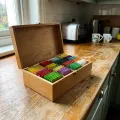
Tea gift set
Grandma Jean
$24.50

Friendship bracelet kit
Chloé
$14.99

Sketchbook and pencils
Chloé
$19.90
02Gift details
Add a gift idea with its price, link and photo
A gift’s entry fits on one screen: its name, “For whom”, the price, the status, a comment such as “Mustard yellow, for her armchair”, the shop link and a photo, taken with the camera or picked from the gallery.
“For whom” suggests the contacts from Birthdays, with their photo. Someone missing? Create them without leaving the entry: they also join the birthday list.
Add a gift
Gift nameWool throw
For whom Grandma Jean
Price49.90
StatusTo give
CommentMustard yellow, for her armchair
URL
https://exemple.fr/plaid-laine-moutarde
Gift photo
03Status
Know which gifts are already bought or already given
Each gift goes from “To give” to “Already bought”, then to “Already given”. The list only shows ideas that are “To give”: the status filter shows the ones already bought, waiting to be wrapped, and the ones already given.
No more gifts bought twice: when James has picked up Grandad Robert’s puzzle, he sets it to “Already bought” and the whole household sees it.
Gift ideas
1,000-piece jigsaw puzzle
Grandad Robert
$18.90Already bought
Cashmere scarf
Aunt Sophie
$45Already bought
04Wish lists
A wish list for Christmas or birthday gift ideas
The “Wish lists” tab holds what household members would like to receive: one list per person or per occasion, with an emoji and a name, like “Noah’s Christmas”.
Within a list, categories such as Games or Books group the gifts, and each gift’s handle lets you move it by hand from one category to another. Each gift keeps its price and its shop link.
Noah’s Christmas
General
Dinosaur pyjamas
$24.90
Games
Build-your-own robot
$39.90
Cooperative board game
$29.99Already given
Books
Dinosaur atlas
$16.50
Pirate comic book
$12.95
05Public list
A gift list shared with family through a simple link
In “Share list”, turn on “Public list”: the list gets its own web page. Copy the link or send it in your usual chat. Your loved ones open it in their browser, with no app and no account.
Turn off the public list whenever you like: the link no longer leads to your list.
Public listMake your list available through a link
Share link
https://app.melimelo.co/share/links/gifts/4b8e2c71-9d3a-4f6e-b1a5-3c7d9e0f2a68
06Reservations
Your loved ones reserve a gift, and nobody gives the same one twice
On the page, a loved one picks “Give this gift” and leaves their name, email and a note for you. They can stay anonymous: their name doesn’t appear on the public list.
The gift immediately shows as “Already given” to the next visitors. The list owner gets an email for every reservation, and the gift’s entry keeps the giver’s name and message.
Edit gift
Gift nameCooperative board game
Price29.99
StatusAlready given
Giver's details
NameSophie
Emailsophie.durand@example.com
CommentSo we can all play together at Christmas!
Delete07Import from a link Premium
Add a gift from a shop link
With Premium, “Import from a link” adds a gift to a wish list: paste a shop link and Melia finds the product’s name, price and photo.
You check the name and price before tapping “Add gift”. The link stays on the gift, so your loved ones find the right shop.
Add a gift in 1 click
Paste a store link and let Melia find the product’s name, price and photo ✨
Product linkhttps://exemple.fr/robot-a-construire
And also
The details that make for good gifts.
A private list for surprises
Turn on “Private list” and choose its members: the other household members can’t see the list. You always stay a member, so you never lose it.
The photo found on the page
Paste the product link into the entry, then tap the image button: Melimelo shows the images from the page and you pick the right one.
Melia saves the idea for you
Tell Melia about a gift: she adds the gift idea for you, within your plan’s gift limit.
Each member’s permissions
With Premium, each member gets their own access to gifts: Read to view ideas and lists, User to create and edit them.

Also worth exploring
The modules that go with it.
- BirthdaysBirthdays
Each gift idea is saved for someone in Birthdays, in the “For whom” field: the same contact, with their photo, in both modules.
- SplitSplit
For a joint gift between siblings, Split records who paid for what and works out who owes how much.
- BudgetBudget
Christmas gifts get planned in the household Budget, next to the rest of December’s spending.
- CirclesCircles
A wish list link can also be shared in a Circle, where the extended family already gets together.




All 31 modules share the same household and the same members.
Free & Premium
What each plan includes for gifts.
Try it out
€0no commitment
Included from the start, shared by the whole household.
- Gift ideas for your loved ones and the household’s wish lists
- Number of gifts, ideas and wish lists combined 5 max
- Recipient, price, link, photo and comment for each gift
- “To give”, “Already bought” and “Already given” statuses
- Wish lists with emoji, categories and manual ordering
- Private list, for chosen members only
- Public list shared by link, reservations without an account
- Email to the list owner for every reserved gift
- Add a gift from a shop link
- Permissions for each member: read or use
Everything unlocked for this module
No limits
€39.90/ year
that’s €3.32 a month
- Gift ideas for your loved ones and the household’s wish lists
- Number of gifts, ideas and wish lists combined Unlimited
- Recipient, price, link, photo and comment for each gift
- “To give”, “Already bought” and “Already given” statuses
- Wish lists with emoji, categories and manual ordering
- Private list, for chosen members only
- Public list shared by link, reservations without an account
- Email to the list owner for every reserved gift
- Add a gift from a shop link
- Permissions for each member: read or use
A single Premium subscription covers the whole household, however many members it has. You take it out in the app on iPhone or Android, and it then works on every screen in the household.
06Questions about gifts
Everything people ask us about gifts.
Straight answers to the questions people ask most before getting started.
07Get started
Your whole household,
on all your screens.
On iPhone, iPad, Android, Mac and in the browser. Every member connected, in real time. Your first module up and running in under a minute.
4.7out of 5
On the App Store
Active users
75k+
Already on board
No commitment, right in your browser.